As Data Cloud scaled, users had no way to see how their data moved.
The product exposed disconnected pieces — never the full picture. Debugging required stitching together data models, transformations, and activations across multiple tabs. Without a clear picture of the entire data pipeline, users couldn't trust what the platform was telling them — and that distrust was a direct threat to Data Cloud adoption.
Broken Trust
Users couldn't verify data accuracy
High Debugging Time
Tracing issues required tribal knowledge
Governance Risk
Unclear propagation of sensitive data (e.g., PII tags)
Strategic Priority
Critical to Data Cloud adoption and usability
The Solution
The first end-to-end data lineage experience in Salesforce Data Cloud.
I led Data Lineage from 0 to 1 as its sole designer, defining not just the experience but the product foundation it would grow from — its scope, MVP, core use cases, and long-term direction. I owned the experience end-to-end: information architecture, graph interaction model, progressive disclosure patterns, side panel, visual language, and the design system tying it together, turning invisible complexity into an explorable, trustworthy system.
From ingestion to transformation to activation, users can now trace their data's full journey, debug issues in context, and understand the impact of any change, without switching tabs or relying on tribal knowledge.
Being the sole designer also meant every major UX tradeoff was mine to investigate and advocate for — including challenging engineering-driven scope reductions and making the case for what research showed users actually needed. That advocacy is reflected in the results below — evidence that betting on what the research showed, not what was fastest to ship, was the right call — turning Lineage into something the business could trust as a foundation for Data Cloud adoption.
GA Launched 🎉
Fast-tracked after strong executive alignment
40k+
Unique queries since GA
↓35%
Time to complete troubleshooting tasks
Presented at Dreamforce 2026 🎉
Showcased in Data 360's main keynote at Dreamforce 2026 (Salesforce's company-wide conference attended by 250,000+ customers)
Demo
See the experience in action.
Key Moments
A first look at the key features.
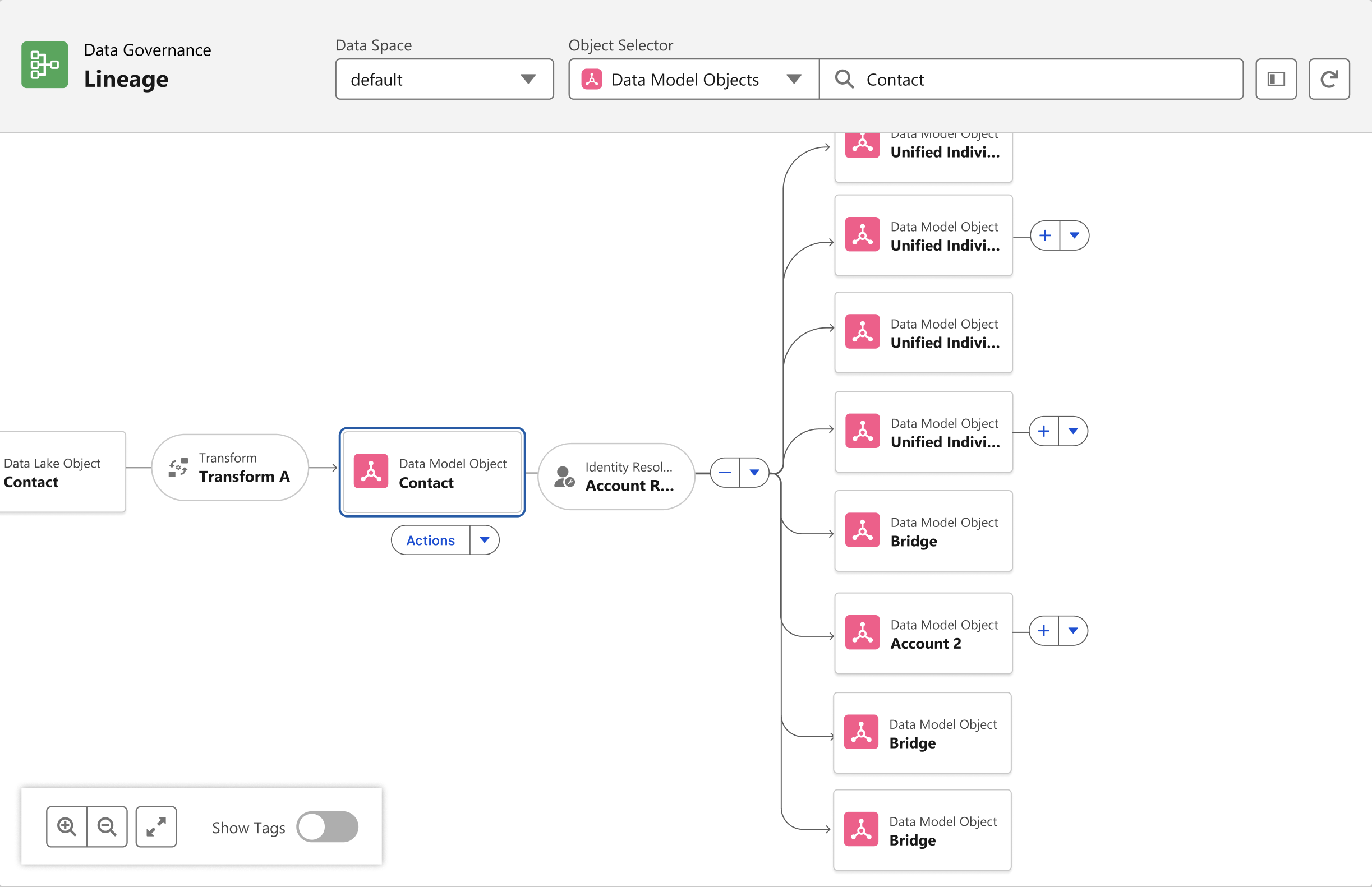
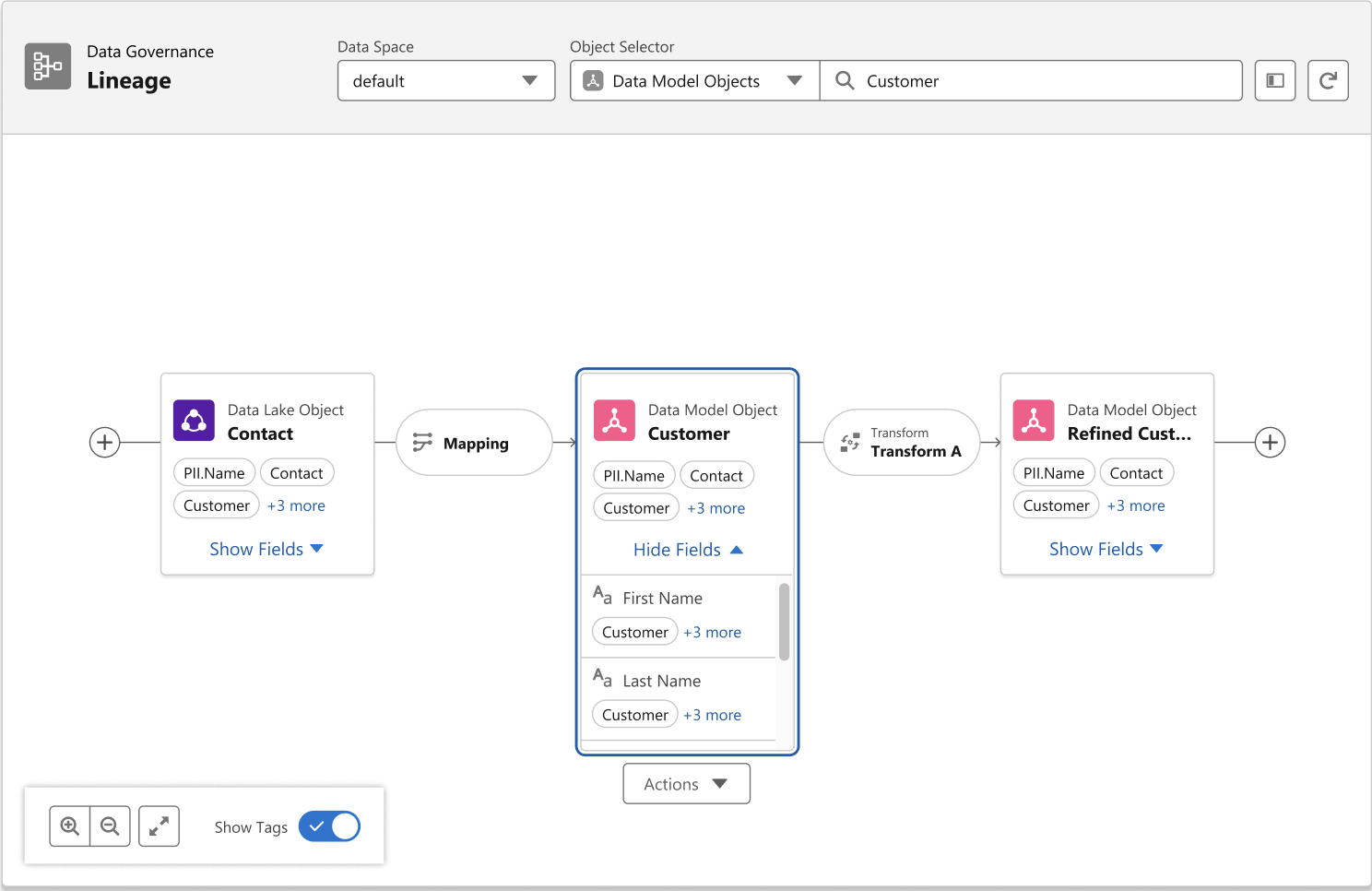
Graph View: Progressive ExplorationEarly concepts rendered the full lineage graph upfront — usability testing showed it was slow, hard to parse, and overwhelming at real data volumes. Testers wanted to explore, not be flooded. I scoped the initial view to a few hops from the selected node, with progressive expansion from there, so the graph scales with what someone's tracing, not with how much data exists underneath.
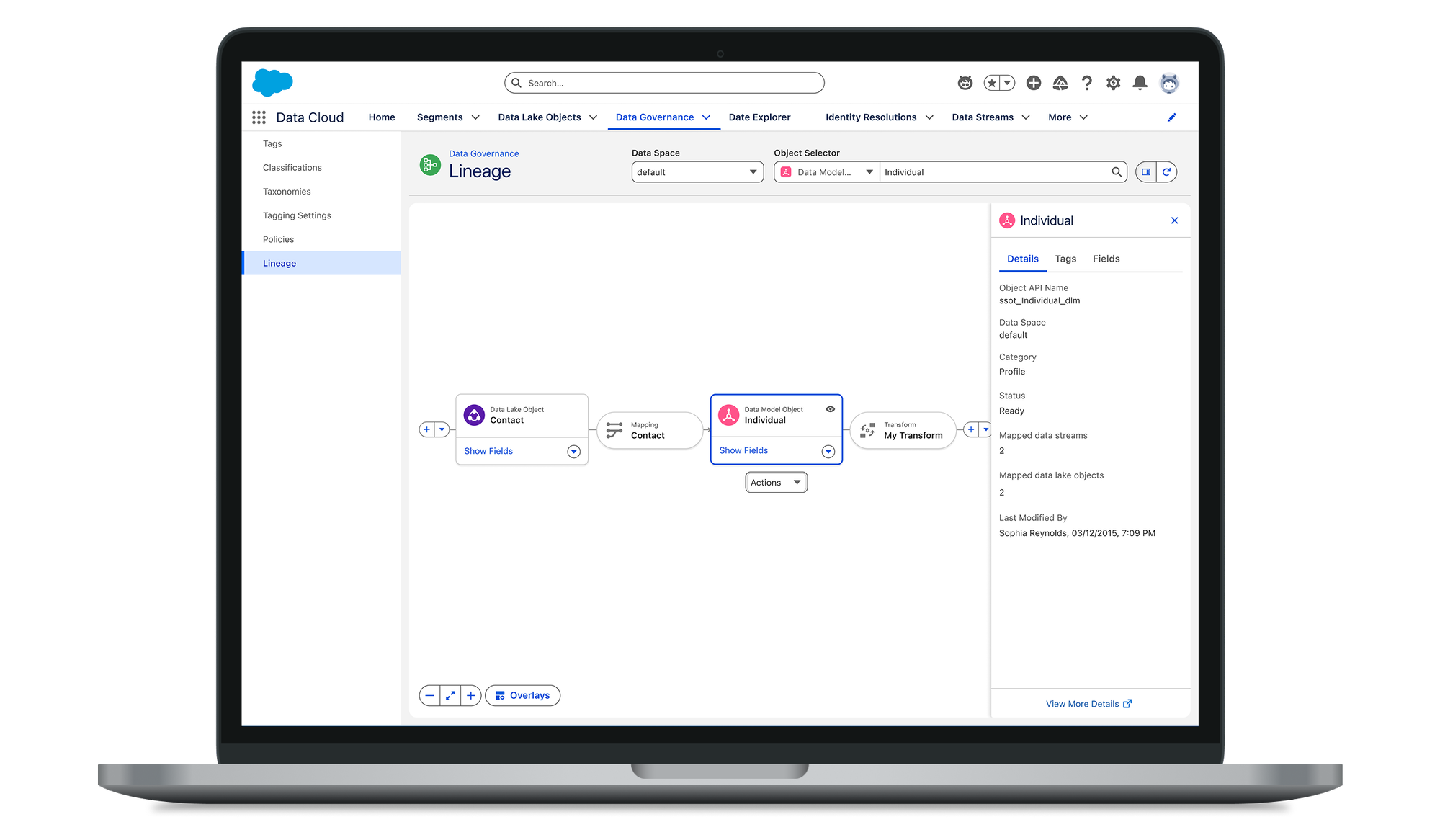
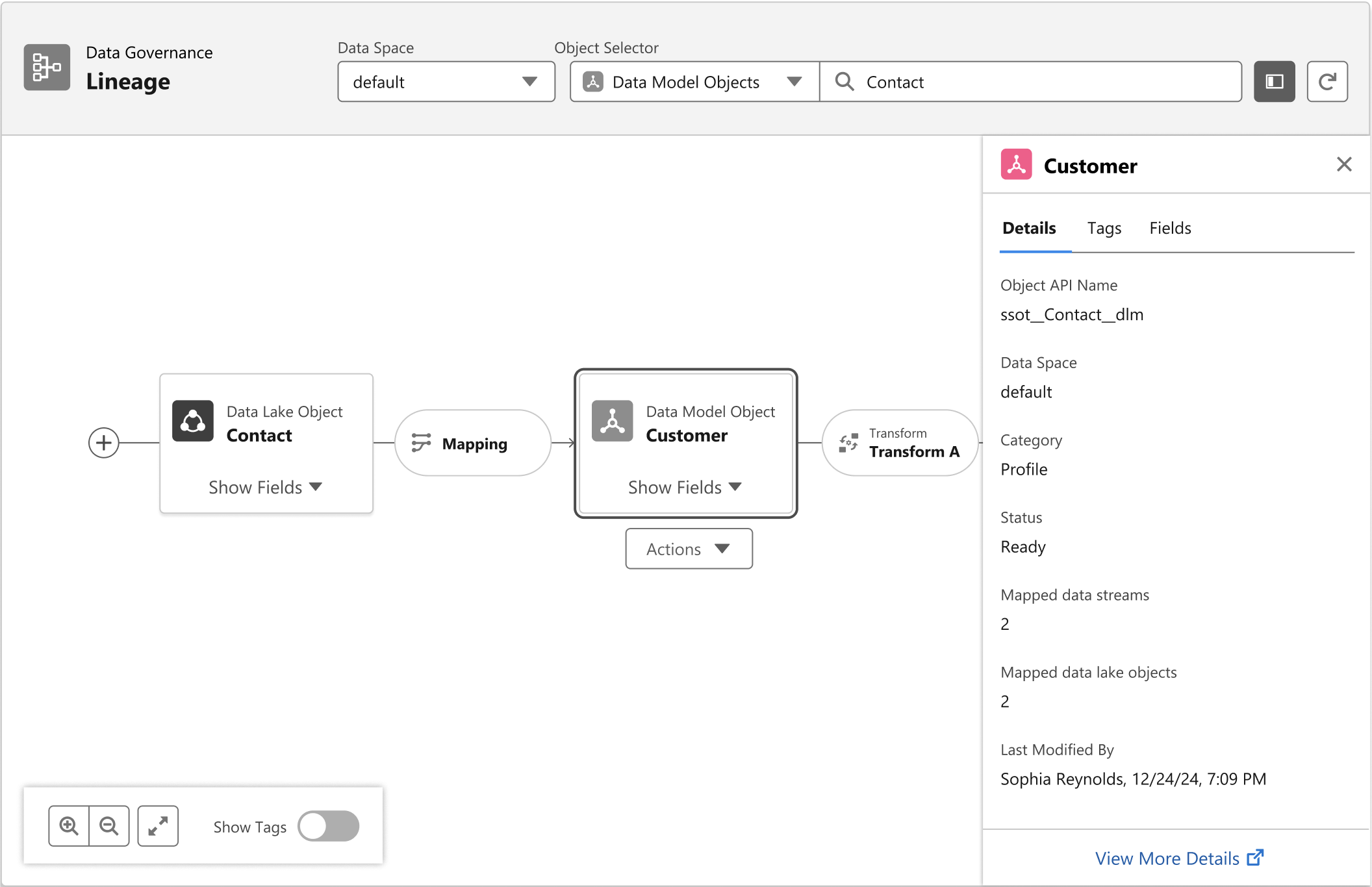
Side Panel: Layered InsightA recurring finding from usability sessions: users think in flows, not objects — they described debugging as manually stitching together data models, transformations, and activations across open tabs. "I have to open 5 tabs just to figure out what's going on," one user put it. The side panel brings that scattered picture into one place — metadata, usage, freshness, and connections — without cluttering the graph. The graph shows relationships; the side panel explains them.
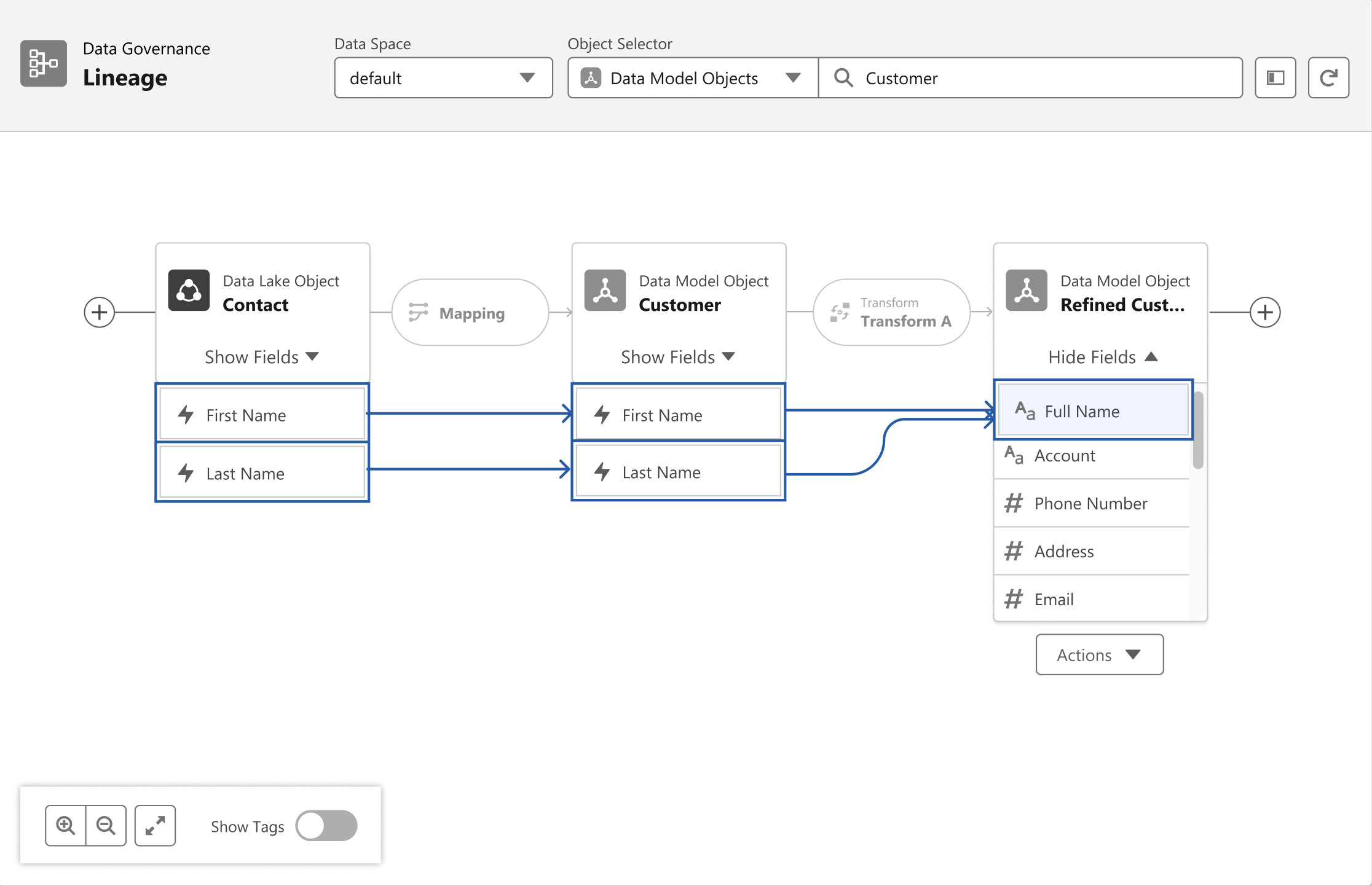
Field-Level Lineage: Trust at DepthObject-level lineage could show two tables were connected, but not what was actually happening underneath — whether a specific field had survived a transformation intact, which downstream fields would break before a change shipped, or which exact field carried sensitive data rather than just the table it lived in. Field-level lineage traces all of that down to the individual field, not the object it's part of.
Tag Overlay: Governance VisibilityGovernance risk was one of the core problems this had to solve — teams had no way to see how sensitive data propagated once it moved through transformations. Placing tags directly on nodes, rather than a level deeper, means that propagation is visible at a glance, not something you have to go looking for.
Agent, Meet Lineage
Surfacing lineage context where decisions actually happen.
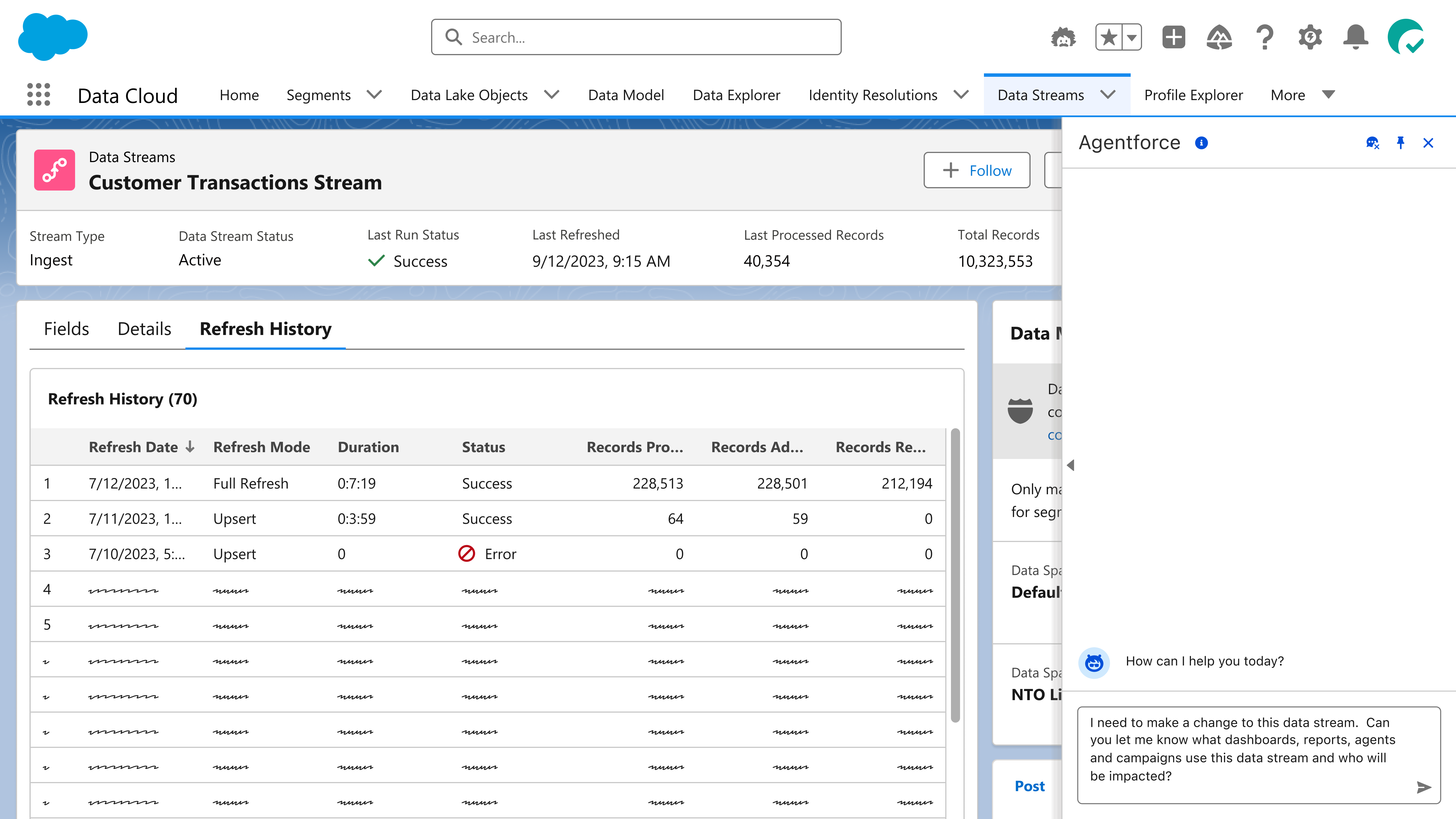
Lineage was powerful in the graph — but most users never needed to leave their workflow to get there. I designed an agentic experience that exposes lineage context directly inside Agentforce, so users can understand upstream and downstream impact without switching surfaces.
Step 1 — The QuestionA user preparing to modify the Customer Transactions Stream asks Agentforce what downstream objects will be impacted. The agent queries the Lineage API in the background.
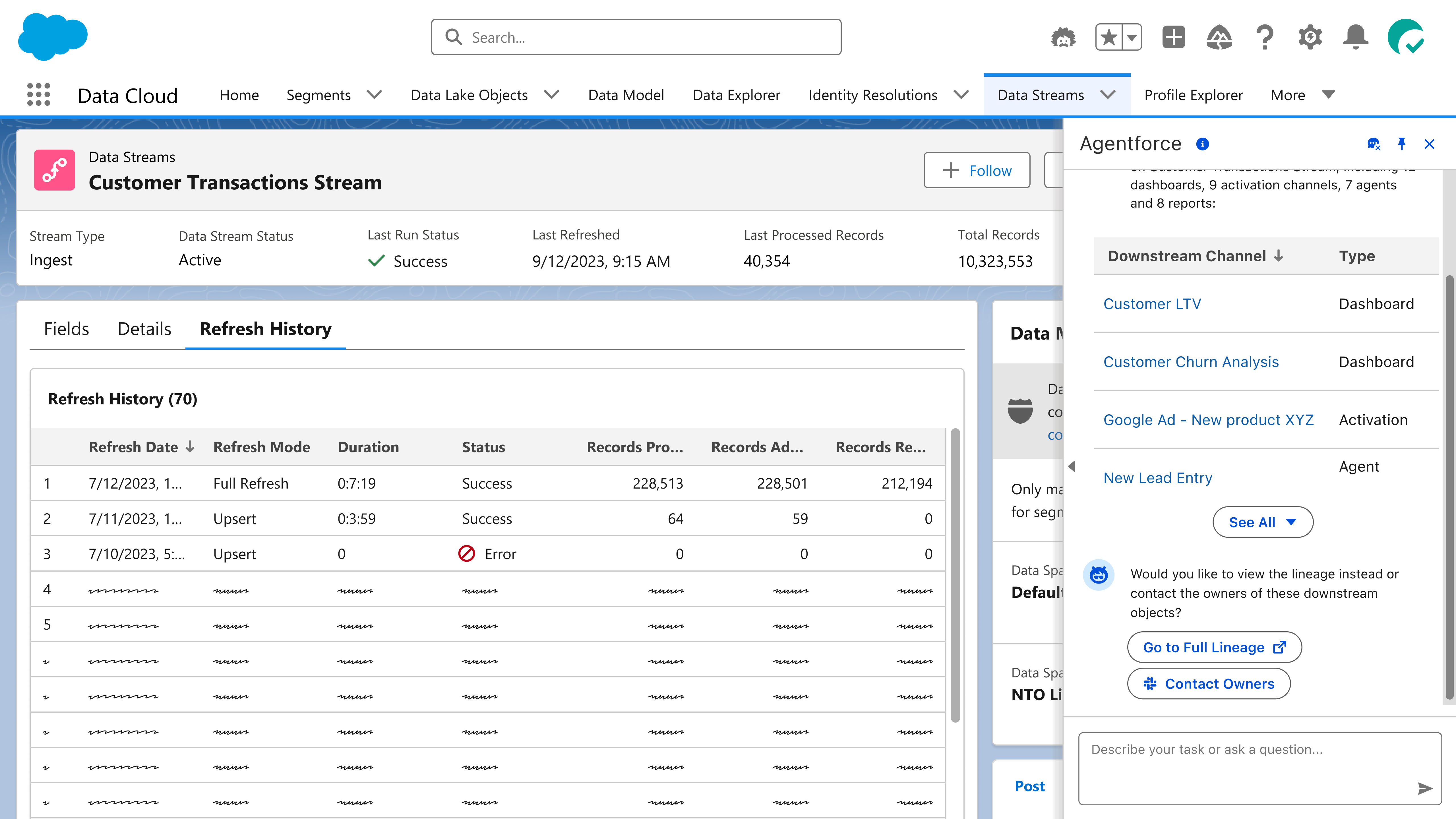
Step 2 — Lineage in a ListThe agent surfaces 36 downstream objects — dashboards, activation channels, agents, and reports — as a scannable list. No graph required. Users can act immediately: go to full lineage or contact owners.
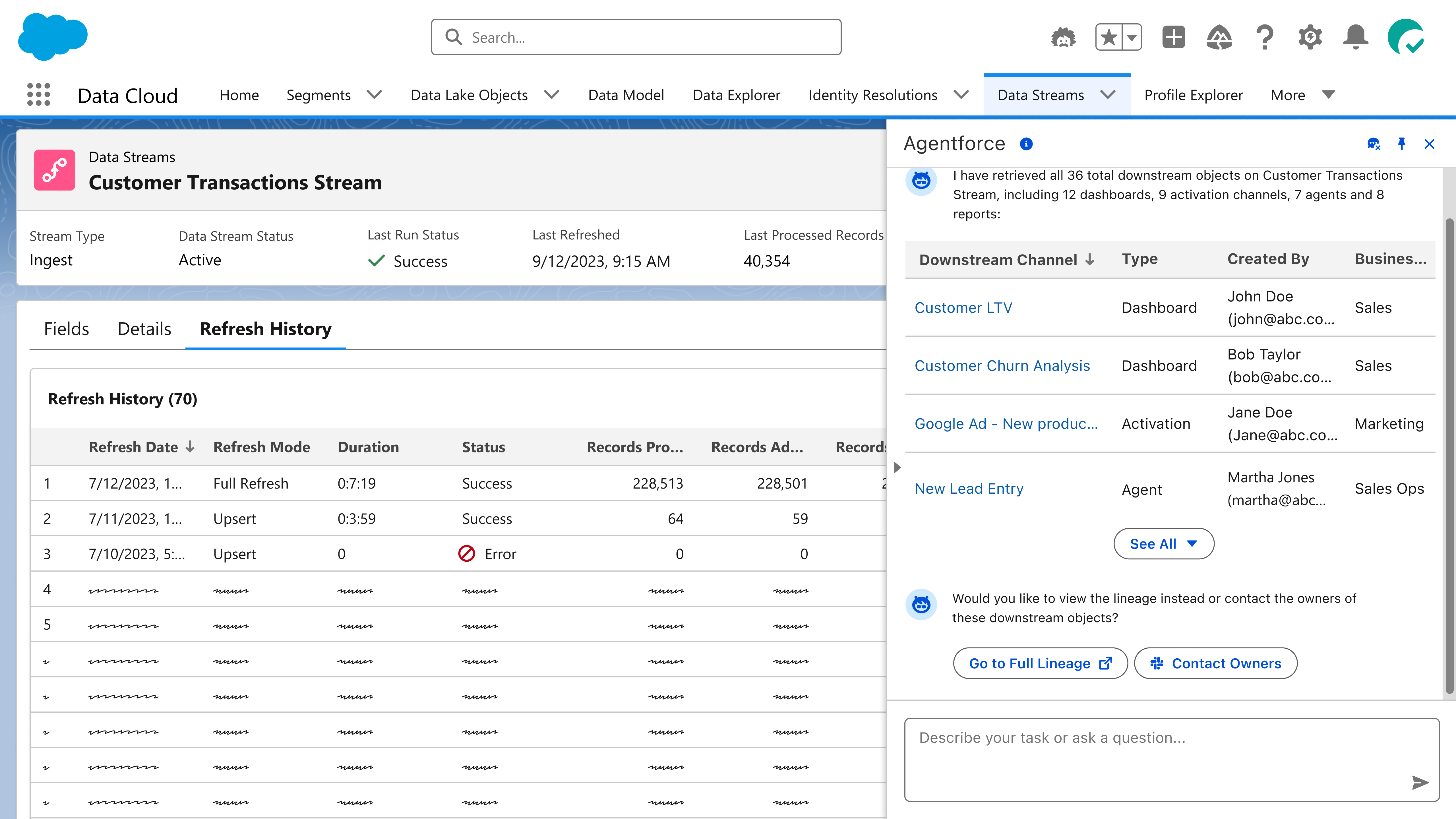
Step 3 — Full Context on DemandExpanding the list reveals created-by, business unit, and type for every downstream object. Lineage context — without ever opening the graph.
1 / 3
Unstructured Data in Lineage
AI agents run on data too. We made that pipeline visible.
As Agentforce matured, a new class of data entered the picture: unstructured data — knowledge articles, help files, connectors, source citations. These weren't structured records in a data model. They were the raw material that agents used to generate responses. And when an agent gave a bad answer, there was no way to trace why.
I extended the lineage model to include this new class of data, enabling agentic troubleshooting through full pipeline visibility — so users can trace exactly what their agent knew, where it came from, and where things went wrong.
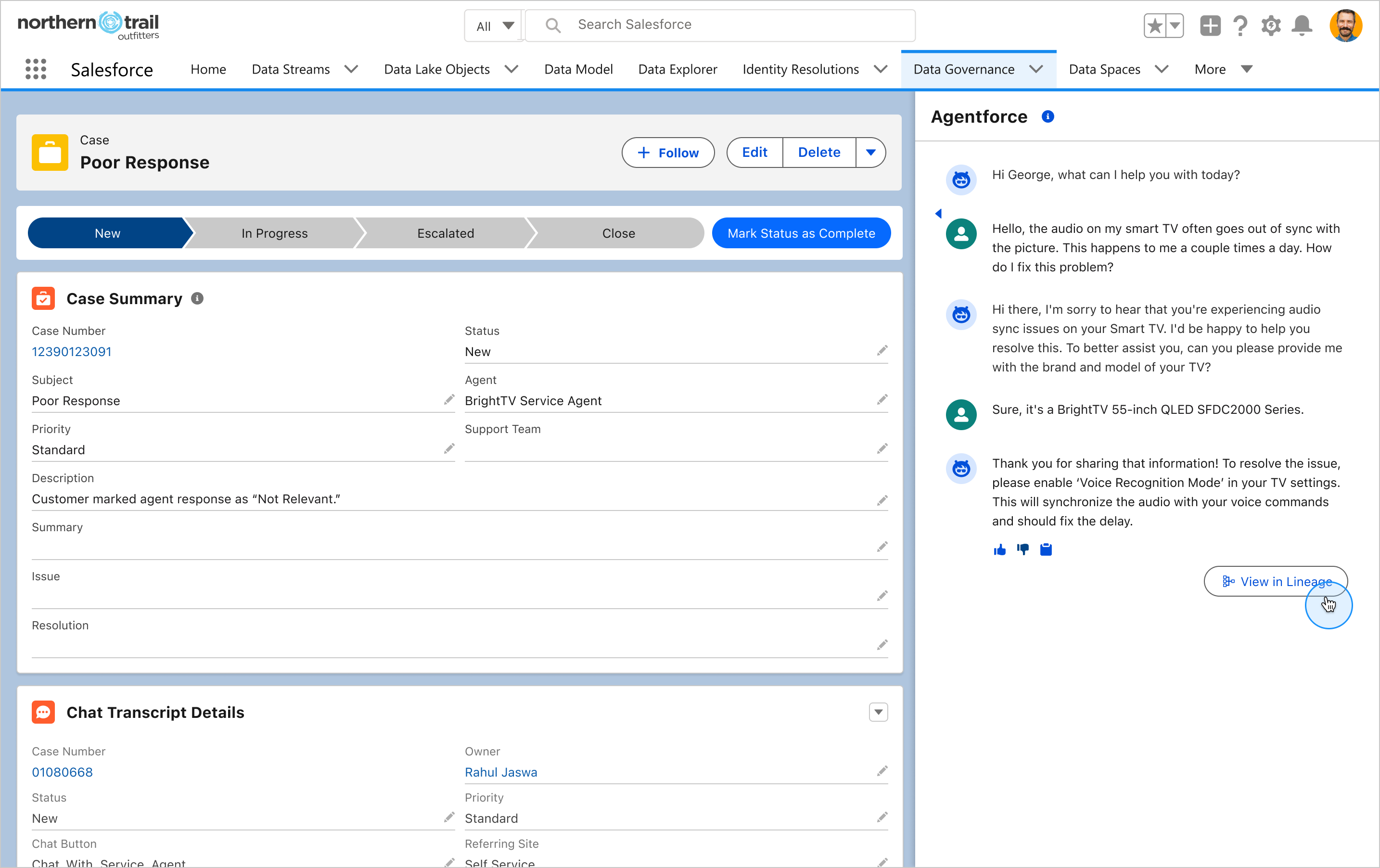
Step 1 — The Entry PointAn agent flags a poor response on a support case. The "View in Lineage" button takes the user directly to the pipeline behind that response.
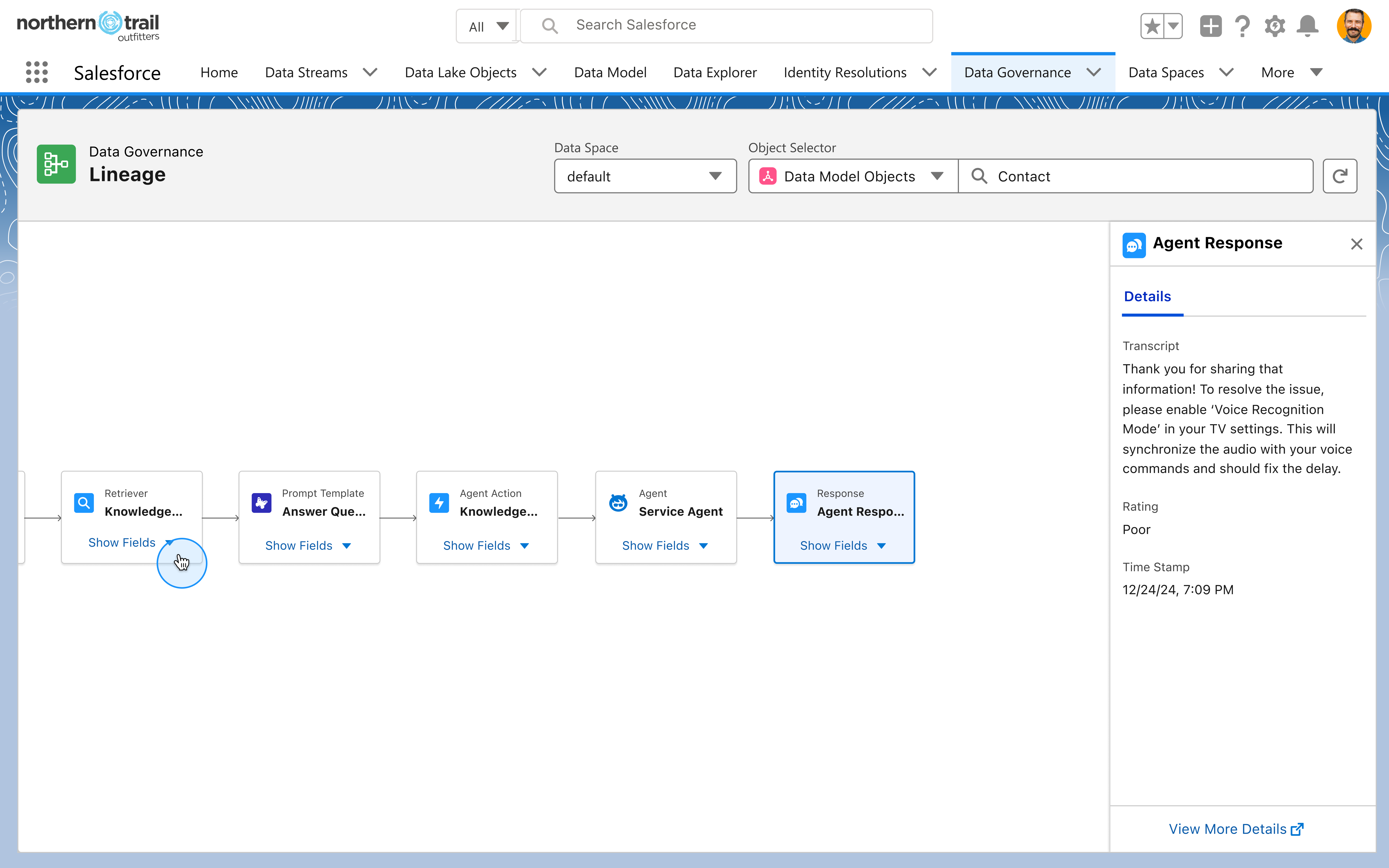
Step 2 — The Agent PipelineOne click from a poor response takes you directly to the execution chain that produced it. Every step — retriever, prompt, action, agent — laid out and inspectable.
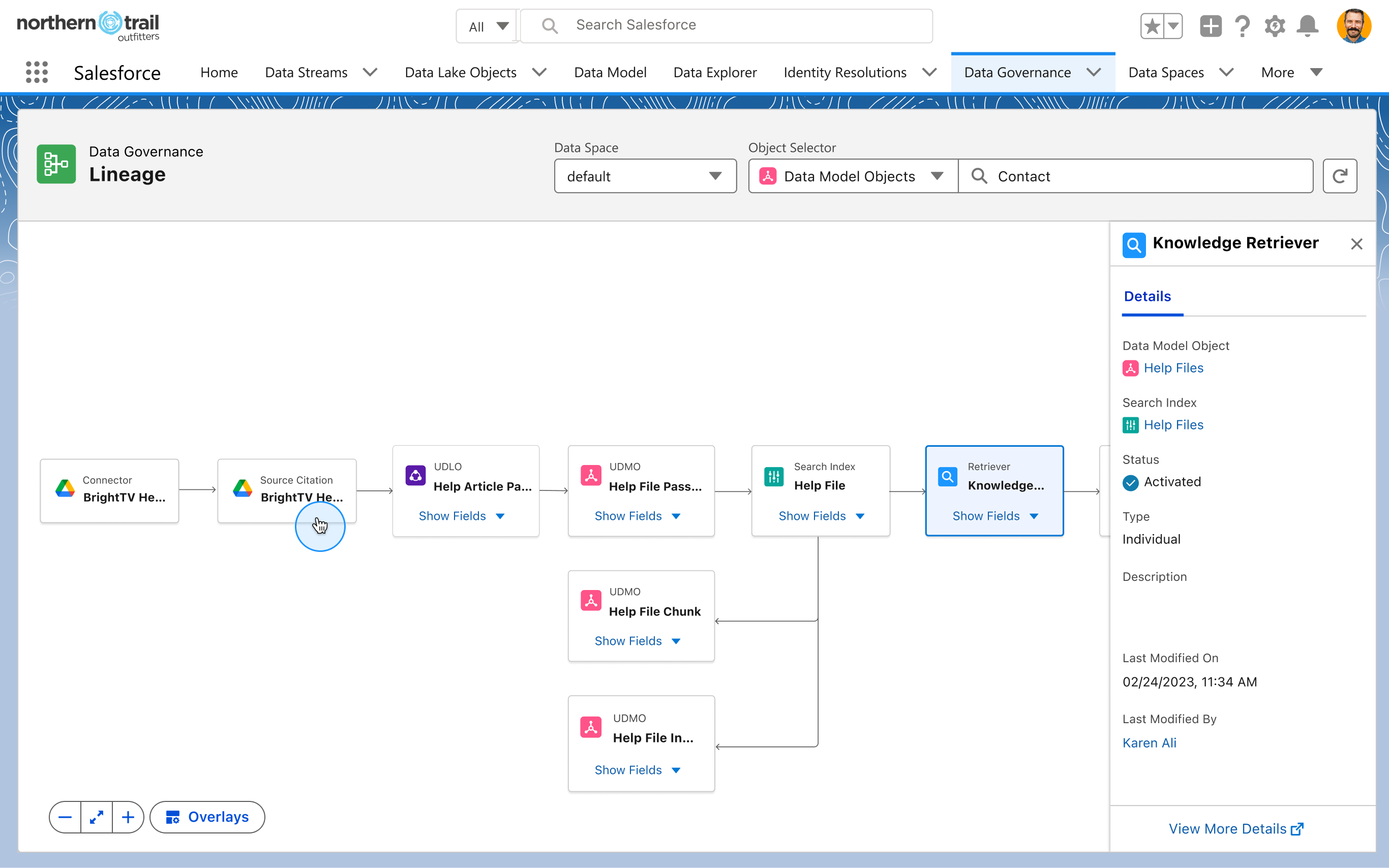
Step 3 — Unstructured Objects as First-Class NodesKnowledge articles, connectors, and file chunks were previously invisible to lineage. Now they're native nodes — and the pipeline behind every agent answer is finally complete.
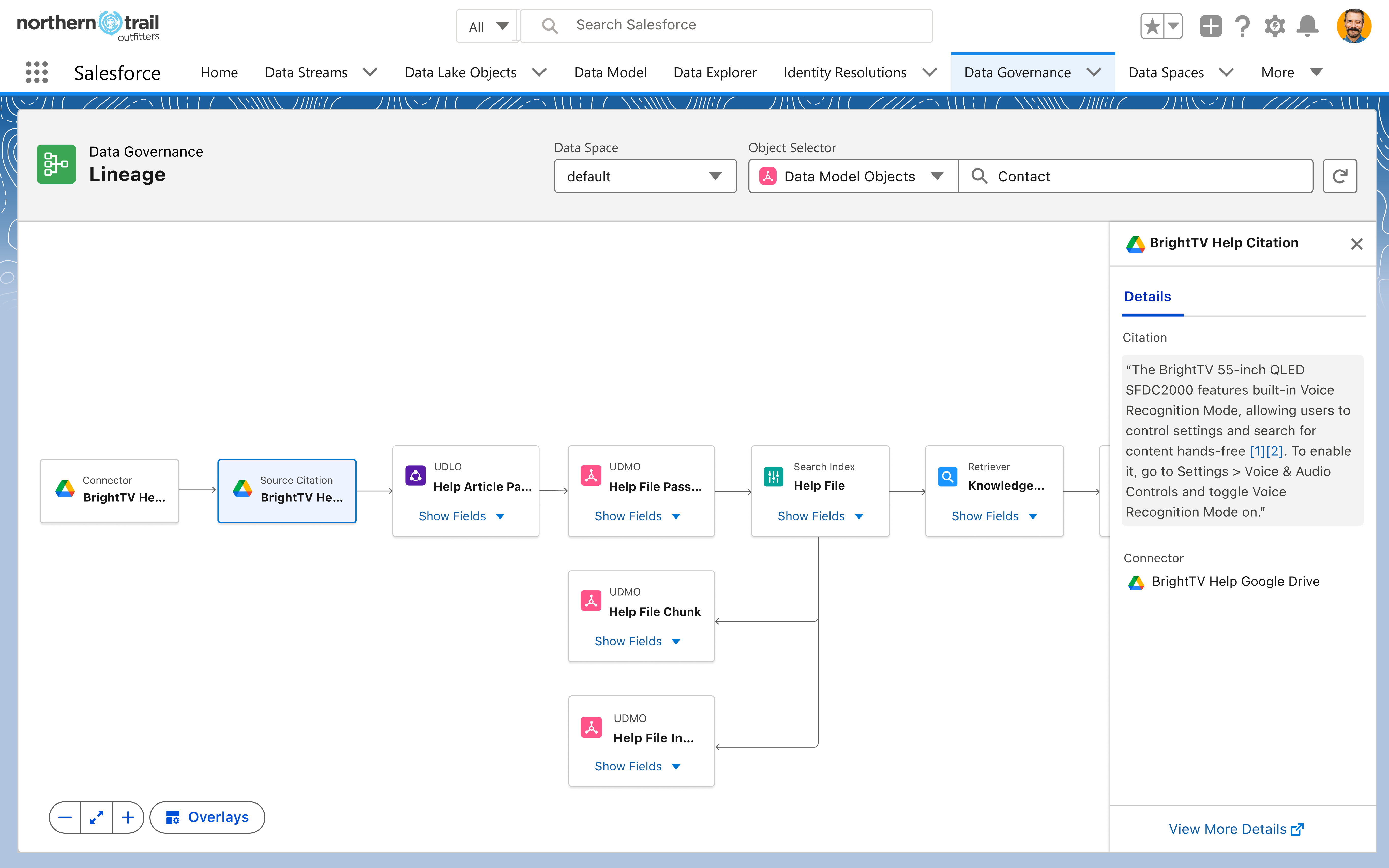
Step 4 — Tracing the Answer to Its SourceClicking the Source Citation node reveals exactly what the agent cited and where it came from. If the wrong source was used, the owner can pinpoint it here and fix it — preventing the same bad response from happening again.
1 / 4
The details of this project are confidential.
Want the full story?
Reach out for insights on the complete process: research, tradeoffs, key decisions, and the iterations that shaped this product.